
How to Access Your Account
We use a single, secure login for Canadian players. One email and one password open your Wild Casino account: games, bonuses, payment history, and personal settings. Use wildz.com/ca for general Canadian access, or wildz.com/en-on if you are located in Ontario.
The same credentials also connect you to our partner casino brands that share your wallet. Once you sign in, your dashboard immediately shows your current balance and any promotions that are active on your account. Two-factor authentication is optional, but we strongly recommend it: you enter a short code from SMS or email together with your regular login details.
Login Steps
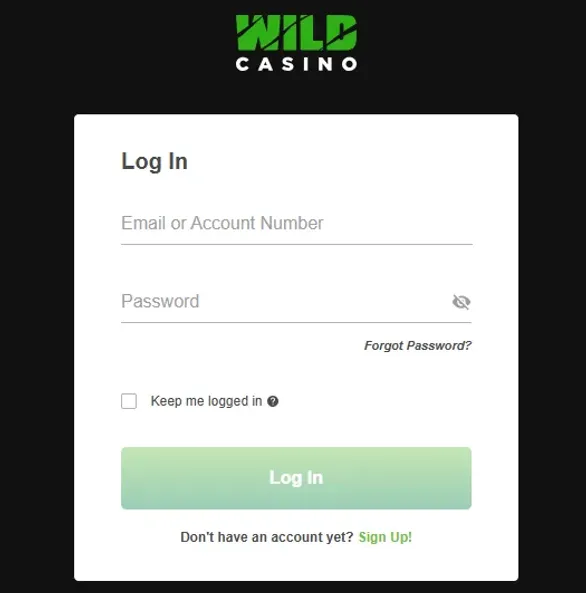
To sign in, use the login button in the upper-right corner of the homepage. Type in the email address you registered with, then your password. If you have two-factor authentication enabled, check your phone or inbox for the code and add it when we ask for it. Confirm with the login button and make sure your username appears at the top of the page.
If you leave your account idle for roughly 30 minutes, the session will close by itself. This auto-logout helps block unwanted access if you walked away from the computer or forgot to close the browser tab.
Forgot Your Password?
On the login page, click on “Forgot Password”. We will send a password reset link straight to your inbox, valid for 24 hours. When you choose a new password, it has to include uppercase letters, numbers, and special characters.
Most access issues are simple: a small typo in the email field, or a browser that still holds outdated cache. Try clearing cookies and site data if you see repeated error messages. After five incorrect login attempts within 15 minutes, your account locks for 30 minutes as a precaution. You will receive an email about the lock, so you see immediately if someone else is trying to use your Wild Casino account login.
Security Settings
After you log in, click on your username and open “Account Settings”. This is where you manage your main security tools: password, two-factor authentication and session overview.
To change your password, you first confirm the current one. Accounts with larger balances will see password change reminders roughly every 90 days. We send an email about this a few days before the current password expires.
In the session management area, you see active logins with device type, browser, IP address, and time. You can end any of these sessions with one click. That is particularly useful when you used a shared or public computer and you are not sure if you signed out properly.
| Security Feature | Where to Find It | Options Available |
|---|---|---|
| Password Change | My Profile - Security | 8-character minimum, current password required |
| Two-Factor Auth | My Profile - Security | SMS or email, toggle on/off |
| Session History | My Profile - Activity | View active logins, end remote sessions |
| Login Alerts | My Profile - Preferences | Email notifications for new devices |
Using Bonus Codes
If you have a bonus or promo code, log in first and then open “My Account”. Enter the promo in the “Bonus Code” field. After that, go to “My Bonuses” to actually claim the offer. You will see the full breakdown: match percentage, maximum bonus amount, and wagering requirements. Click “Claim Now” when you are comfortable with the terms.
While you play, the remaining wagering is updated in real time. You can always check how much is left either under deposit bonuses or casino bonuses in “My Profile”, depending on the exact promotion.
Multi-Brand Access
Your Wild Casino login details also connect you to three additional casino brands within our group. All of them use the same shared wallet, so balances sync automatically. There is no need to move funds manually between sites. To switch brands, open your account dashboard and use the brand selector.
Each brand has its own game collection, but your verification status and account preferences follow you. That makes it easier to look at different offers and still keep one single Wild Casino account login.